9 small business videos you can make this week (no crew)
Nine small business video ideas you can make this week without a crew: explainers, FAQs, myth vs fact, seasonal promos and more, plus where to post each.
Most small businesses know they should be posting video. What stops them is the picture of what it takes: a camera, lighting, someone comfortable on screen, and a weekend of editing. The good news is that many of the most useful business videos don’t need any of that. They need a clear script, a good voice and visuals that support the message.
Here are nine video types you can realistically make this week without a crew, with a simple outline for each and where it tends to work best.
1. The 60-second explainer: what you do and who it’s for
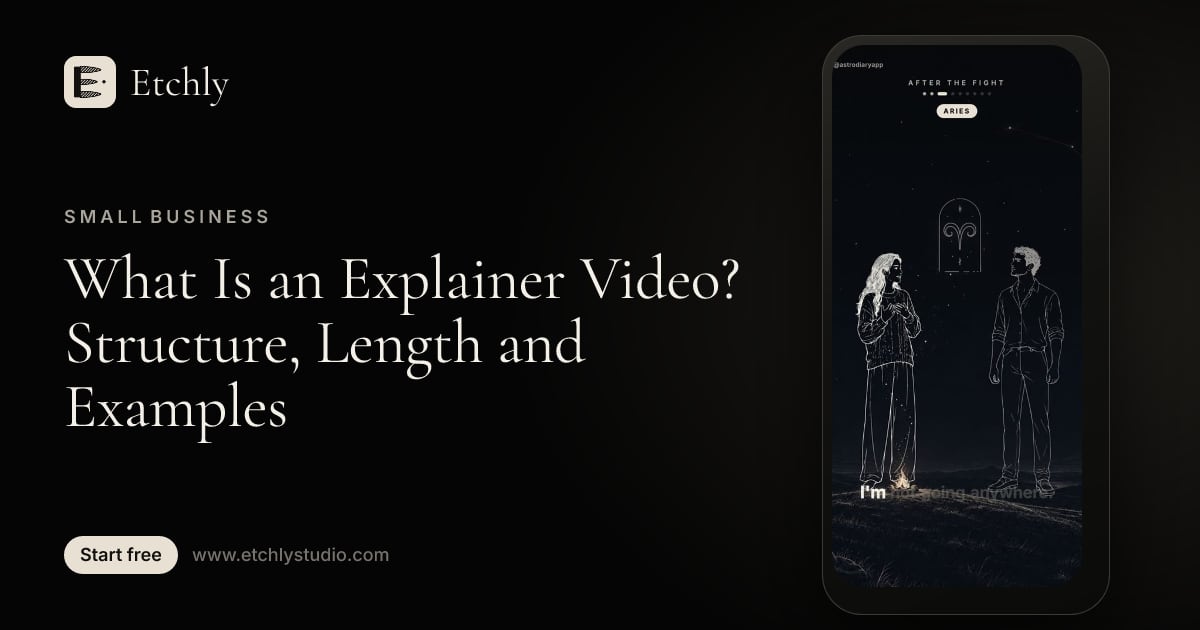
This is the video every business should have. It answers “what is this, and is it for me?” faster than a homepage paragraph.
Outline:
- Name the problem your customer has.
- Show what you do about it.
- Explain how it works in two or three steps.
- End with one clear next step.
Where to post: your homepage, Google Business Profile, pinned on Instagram and TikTok, and as a link in email signatures. A horizontal version suits your website; a vertical one suits social.
New to the format? Our guide to what an explainer video is covers the structure in more detail.
2. The FAQ video: answer the question you hear every day
Every business has a question it answers ten times a week. “Do you take walk-ins?” “How long does installation take?” “Is this covered by insurance?” Turn each one into a short video.
Outline: state the question exactly as customers ask it, answer in plain language, and add one helpful detail they didn’t know to ask.
Where to post: Instagram Reels, TikTok, YouTube Shorts, and your FAQ page. Save the links so you can send them in replies to customer messages.
3. How it works: walk through your process
People hesitate when they don’t know what happens after they book or buy. A step-by-step video removes that uncertainty.
Outline: use a numbered how-to structure. “Step 1: you book online. Step 2: we confirm within a day. Step 3: …” Keep each step to one sentence with one visual.
Where to post: your booking or checkout page, YouTube, and Facebook. This one is also useful in a confirmation email.
4. Myth vs fact: correct a misconception in your industry
Every industry has myths: “You should only see a dentist when something hurts.” “Solar doesn’t work in cloudy places.” “Hiring an accountant is only for big companies.” Busting one positions you as the expert without sounding like an ad.
Outline: state the myth, pause, reveal the fact, and give a one-line reason why. Three myths make a good 45-second video.
Where to post: TikTok, Instagram Reels and YouTube Shorts. Myth vs fact content is easy to share and comment on.
5. The customer story format (told honestly)
A story about a typical customer’s problem and how it got solved is persuasive. The key word is honest. Don’t invent customers or quotes. Instead, either get permission to tell a real customer’s story, or present it clearly as a typical scenario: “Here’s what usually happens when a homeowner calls us about a leak.”
Outline: use a micro-story arc. The situation, the problem getting worse, what changed, and how things look now.
Where to post: Facebook and Instagram, LinkedIn for B2B services, and your website’s services page.
6. The seasonal promo
Holidays, back-to-school, tax season, summer slowdowns and local events all give you a reason to post an offer. An illustrated promo video can be made in an afternoon and refreshed every year.
Outline: open with the season or moment, state the offer clearly, say when it ends, and tell people exactly how to claim it.
Where to post: Instagram and Facebook (organic and as a boosted post), TikTok, Stories, and your email list.
7. Behind the scenes, narrated
People like seeing how things are made or done. You don’t need to film the whole process. Narrate it over illustrations, or mix a few of your own phone photos with illustrated scenes.
Outline: “Here’s what goes into one of our…” followed by three to five stages, ending with the finished result.
Where to post: Instagram Reels, TikTok and YouTube Shorts. These tend to build familiarity rather than drive immediate sales, which is fine.
8. Onboarding: what to expect after you sign up
If customers need to do something after they buy, such as fill out a form, prepare for an appointment or set up an account, a short onboarding video saves you support time.
Outline: welcome them, list what happens next, flag the one mistake people commonly make, and say how to reach you.
Where to post: welcome emails, your client portal or help page, and as an unlisted YouTube link you can share. This one is for customers, not the public feed.
9. The local “did you know?”
Share a surprising fact about your neighborhood, town or local industry. “Did you know our town’s main street used to be a rail line?” It connects your business to the community and gives locals a reason to follow you.
Outline: open with the “did you know?” hook, give the fact, add a little context, and tie it lightly back to your business or a local offer.
Where to post: Facebook (local groups, where allowed), Instagram, TikTok and Nextdoor. Local content tends to get shared by people who live nearby.
Quick reference: length, format and where to post
| Video | Suggested length | Structure | Best places to post |
|---|---|---|---|
| Explainer | 45–90 s | Problem, solution, steps, CTA | Homepage, Google Business Profile, pinned social |
| FAQ | 20–45 s | Question, answer, bonus tip | Reels, TikTok, Shorts, FAQ page |
| How it works | 30–60 s | Numbered steps | Booking page, YouTube, Facebook |
| Myth vs fact | 30–45 s | Myth, fact, reason | TikTok, Reels, Shorts |
| Customer story | 45–60 s | Micro-story arc | Facebook, Instagram, LinkedIn |
| Seasonal promo | 15–30 s | Moment, offer, deadline | Instagram, Facebook, Stories, email |
| Behind the scenes | 30–60 s | Stages to finished result | Reels, TikTok, Shorts |
| Onboarding | 60–120 s | Welcome, next steps, tips | Welcome email, help page |
| Local “did you know?” | 20–40 s | Hook, fact, local tie-in | Facebook, Nextdoor, Instagram |
How to make these without a crew
Each of these videos needs the same four things: a tight script, a clear voice, visuals that match the words, and readable captions (most social video is watched on mute). You can assemble that from separate tools, or use one tool that does it all.
Etchly takes a one-line idea and handles the rest: it writes the script using proven hooks and structures like myth vs fact, how-to steps and story arcs, records an AI voiceover with word-level timing, creates illustrations in a style you choose, adds music and word-timed captions, and renders a finished MP4 in vertical or horizontal format. A brand kit keeps your colors, fonts, logo and end card consistent across every video, so your FAQ series looks like it came from the same business as your promo.
On cost: a 60-second video with 16 new illustrations is about 25 credits, which works out to roughly $4.90 on the Pro plan. Shorter videos and ones that reuse illustrations cost less, and re-rendering a video to tweak something costs nothing. Our AI video cost breakdown compares that with generating footage.
One honest caveat: if you sell a physical product and buyers need to see it move, poured, folded or worn, real or generative footage of that product is worth having. Illustrated video works best for services, explanations and offers. Our guide on when you don’t need generative video helps you decide.
Pick two and start this week
You don’t need all nine. Start with an explainer and one FAQ video. Post them, see which questions come back, and make the next video about that.
If you’d like help getting there, see how Etchly fits small business marketing, or start free with 10 credits. No card required.
Frequently asked questions
What kind of videos should a small business make first?
Start with a short explainer of what you do and an FAQ video that answers the questions customers ask most. Both are useful on your website, in social posts and in replies to customers.
Do small business videos need to show real people?
Not always. Illustrated and narrated videos work well for explaining services, answering questions and promoting offers. Use real footage when you need to show a physical product, your space or your team.
How long should a small business video be?
For social media, 20 to 60 seconds is a good range. Website explainers and onboarding videos can run one to two minutes if every part is useful.