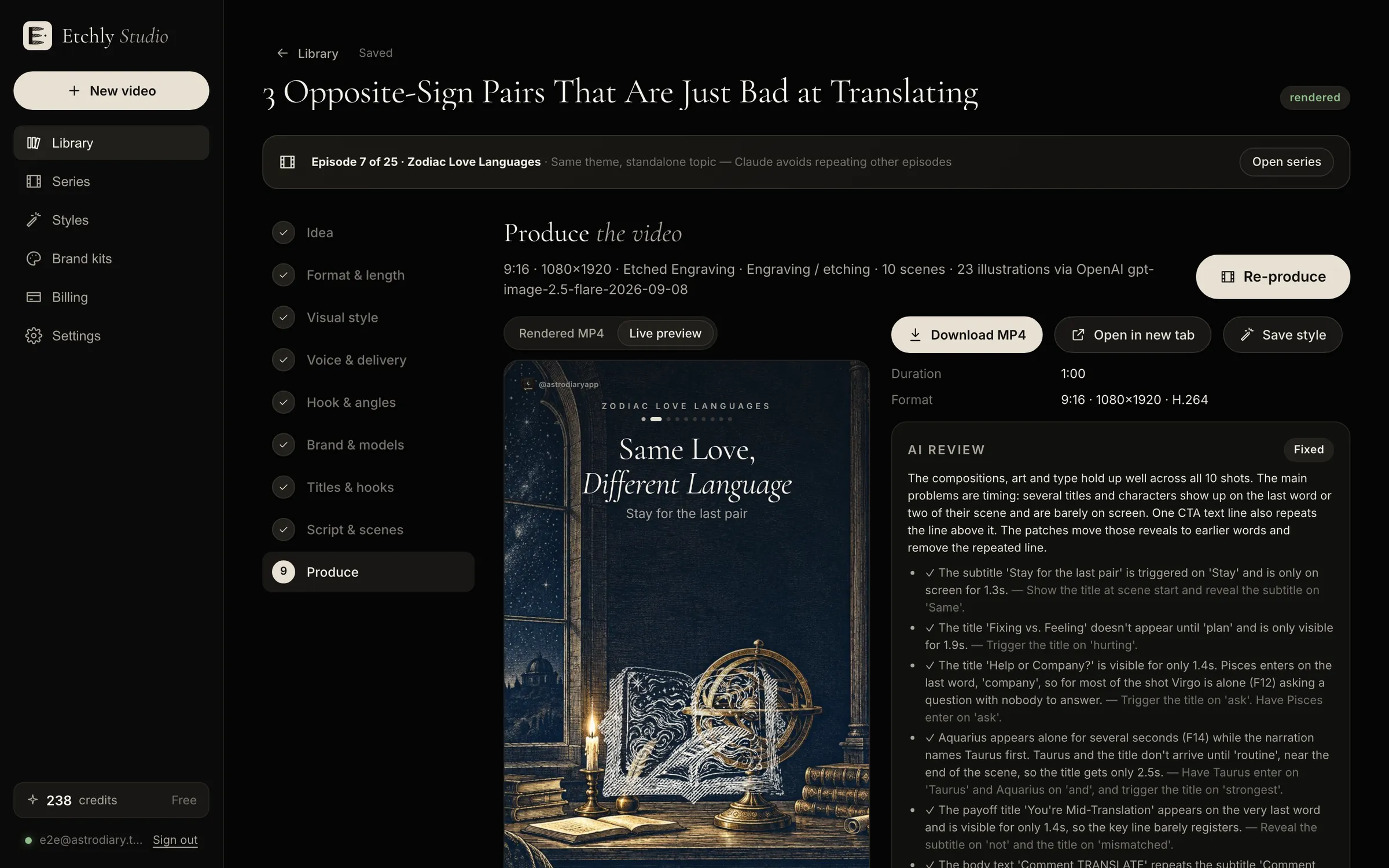
AI review

A second pair of eyes on every frame.

With generative video, quality control means rerolling and paying again. Etchly ships every video through an AI reviewer that watches the finished render, finds problems and fixes them, usually before you've opened the preview.

AI review notes next to the Etchly live preview

What the reviewer catches

After the first render, an AI reviewer watches the video frame by frame and checks it against the script and scene plan. It looks for:

  • Reveals that land late or too early
  • Elements overlapping or crowding each other
  • Text clipped by the frame or by platform UI
  • Illustrations that drifted off-style or off-topic
  • Scenes that linger too long or flash by too fast
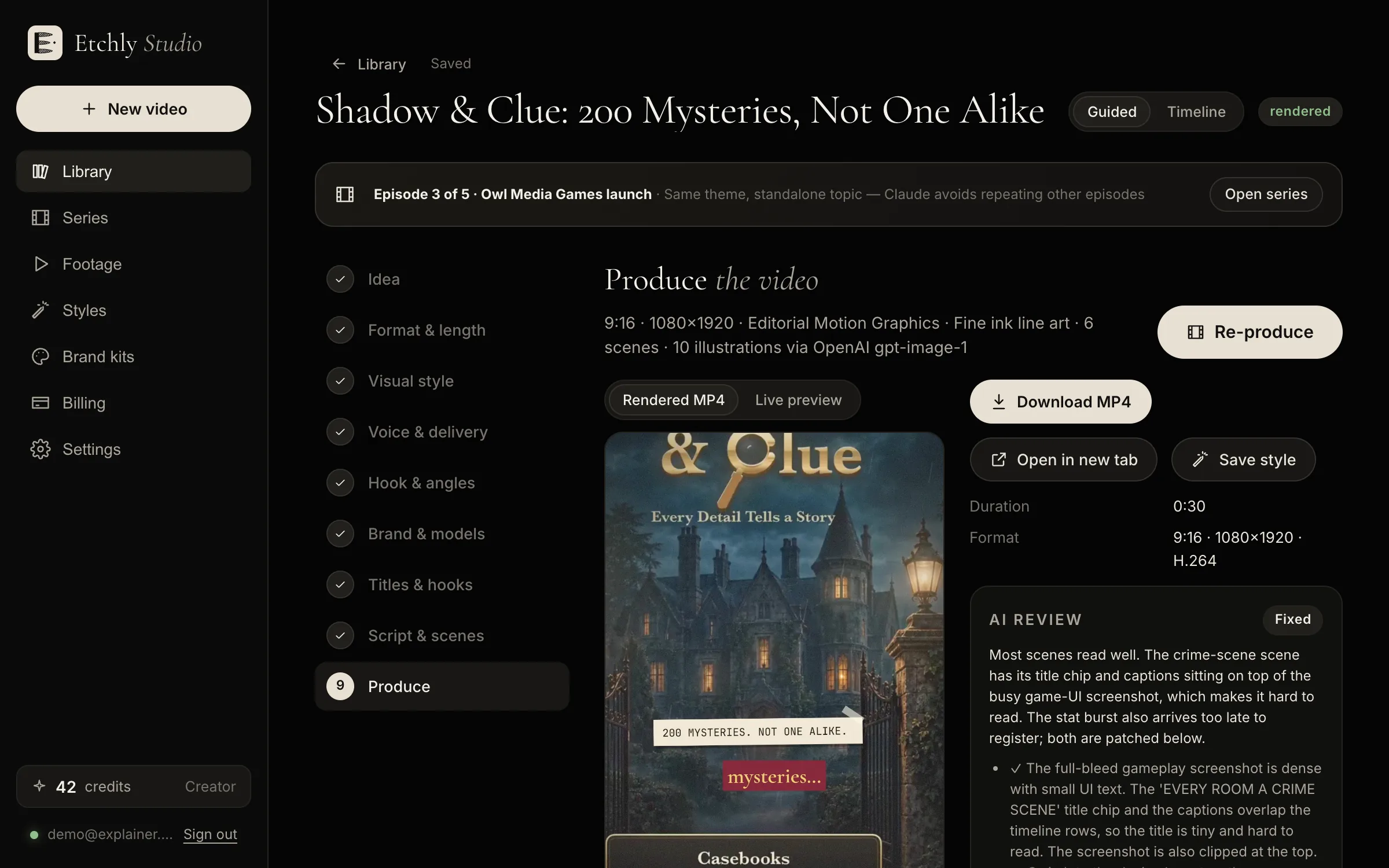
Fixes, not just notes

The reviewer doesn't just flag issues. It adjusts timing, layout and art, then re-renders. Because rendering takes seconds and unchanged assets are reused, a fix costs a tiny fraction of rerolling a generated clip.

Tell it what's wrong in plain English

Spot something yourself? Type it the way you'd tell an editor, like “the logo only shows for a second” or “the second tip needs a different picture”, then press Fix it.

A produced video in Etchly Studio

Illustrations are reviewed too

Before anything is animated, each illustration is checked for style consistency and obvious defects and regenerated if needed. You see fewer bad frames, and you spend fewer credits on surprises.

FAQ

AI review: questions

Does the AI review cost extra?

The automatic review is part of producing a video. Your own Fix it requests may use credits if they need new illustrations.

Can I skip the review?

You can watch and download as soon as the first render is done. The review runs alongside it.

What if I disagree with a fix?

Everything stays editable. Change any scene directly or describe what you want instead.

Make your first video free.

10 free credits on signup, enough to script and produce a short 15-second video. No card required.

Start free